
Quick Summary
- GPT 5.2 introduces “agentic” AI that thinks through multi-step tasks without constant prompting.
- The upgrade delivers stronger reasoning, higher accuracy, and polished file generation—spreadsheets, decks, and reports you can actually use.
- New integrations let marketers automate daily operations directly from the chat window.
OpenAI recently dropped its latest model, GPT-5.2, just a month after it released 5.1. (Read the full announcement here.)
It’s still early (we’re writing this just two days after GPT-5.2’s release), but many reviewers are already saying that ChatGPT’s newest model has leapfrogged Google to become the reigning champ … for now.
We tested it for ourselves and found that, despite the name change from 5.1 to 5.2, this model feels more like a major upgrade than an incremental update.
What’s New in ChatGPT 5.2 (for Marketers)
GPT 5.2 arrives with a noticeable shift in personality.
Instead of waiting patiently for the next prompt, it’s ready to take initiative. OpenAI calls this an “agentic” model, a fancy way of saying the system can now navigate multi-step workflows without constant supervision.
Marketers will see the difference immediately.
This model is the first one experts feel produces results suitable for professional and enterprise work.
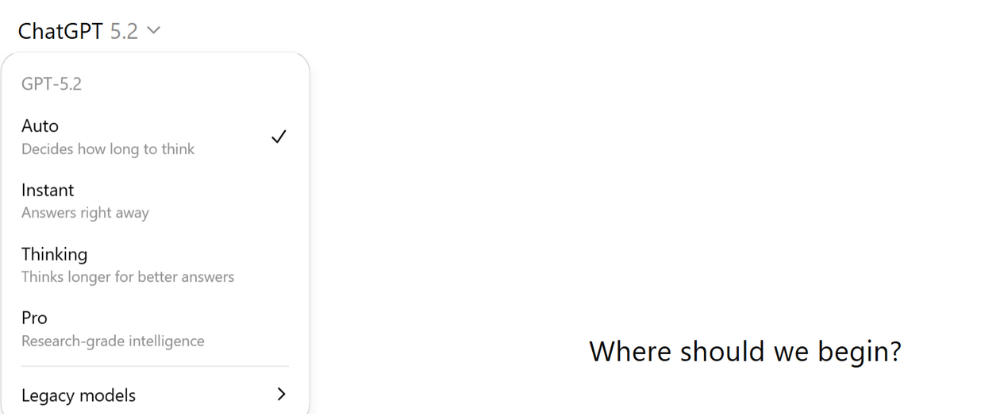
GPT-5.2 comes in three modes: Instant (quick), Thinking (deep), and Pro (serious horsepower). Together, they cover everything from drafting a social caption to building a quarterly forecast.
Here’s a closer look at the upgrades with examples of how to use them.
Agentic workflows
This is the big one. Instead of inching your way through a request (“now add formulas . . . now fix column C . . . now change the formatting”), GPT 5.2 handles the whole thing.
Ask for an interactive budget model, a dashboard, a content system, or a presentation, and the model orchestrates the tasks behind the scenes.
To see it in action, see our Real-World Example below.
Adjustable reasoning
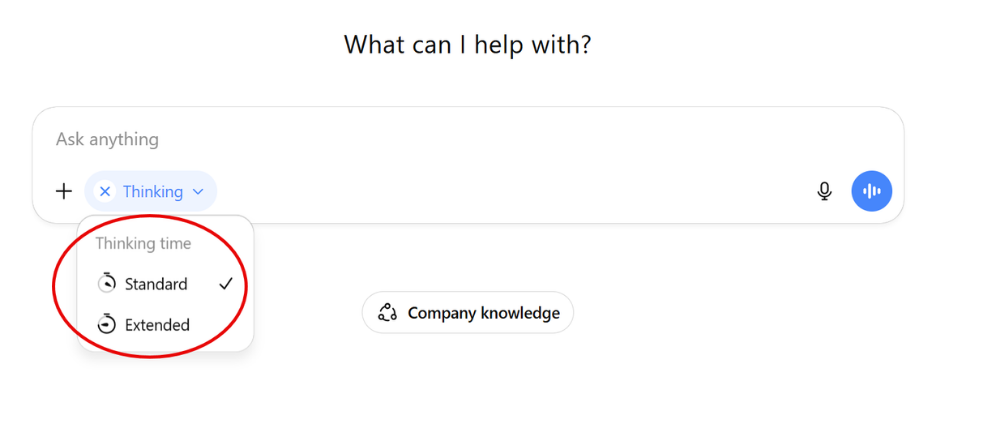
Though a Thinking mode is not a new idea, GPT-5.2 gives you options: light for snappy ideas, heavy for thorny problems like market sizing or multi-channel strategy.
It’s like telling your marketing assistant, “Go think about this and get back to me.”
Example 1: Light thinking for fast campaign angles.
[Thinking level standard]: Give me 10 campaign angles for a Q1 pipeline push for a B2B SaaS workflow tool. Each angle needs: a punchy positioning line, a primary channel, and one proof point we should validate.
When to use it: Early ideation, headline variations, quick positioning options, short social copy, rough outlines.
Example 2: Heavy thinking for market sizing and strategy tradeoffs.
[Thinking level extended]: Build a bottoms-up market sizing model for a mid-market SaaS workflow automation product in North America. Show assumptions explicitly, give a sensitivity table, and list the 5 assumptions that swing the estimate most. Then propose a 3-channel go-to-market plan and explain why it matches the model.
When to use it: Market sizing, pricing architecture, multi-channel strategy, measurement design, complex tradeoffs with uncertainty.
Better spreadsheets and presentations
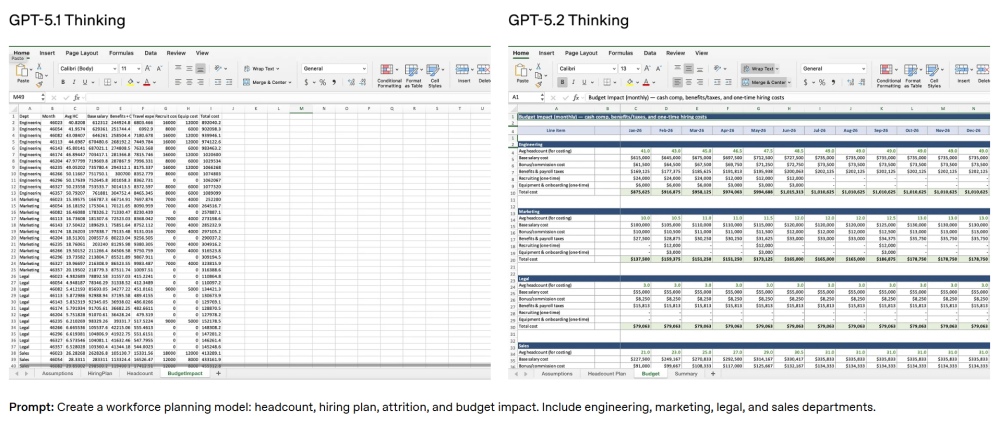
As part of its agentic workflow capabilities, ChatGPT now lets you generate polished spreadsheets and full presentations in a single prompt. This isn’t the old “table in a chat window.” These are real files you can download, share, and edit.
Interactive dashboards
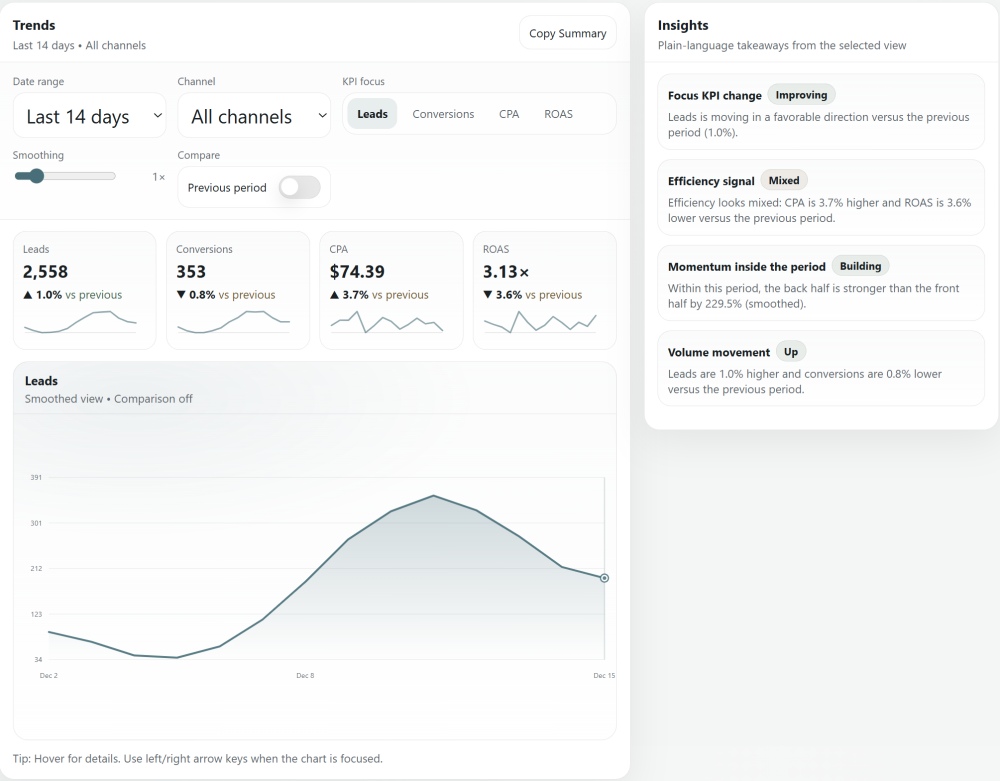
You can also easily turn raw data into interactive dashboards and apps, usually in just a few minutes, or add them to a workflow prompt.
Improved coding
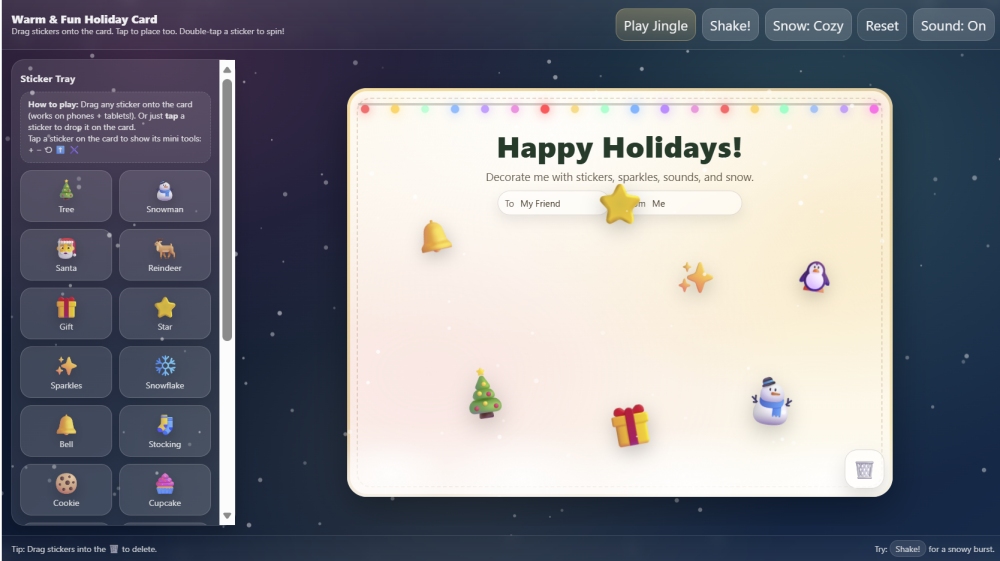
GPT-5.2 can create games and apps with a simple prompt.
Here’s an example from Open AI’s official ChatGPT 5.2 announcement.
Prompt: Create a single-page app, in a single HTML file, that demonstrates a warm and fun holiday card! The card should be interactive and enjoyable for kids!
– Have variety of items kids can drop in the UI; a few should be already placed by default
– Also have fun sound interactions
– Place many cute and fun stuff as much as possible- Animation like snowdrop should be used nicely
Vision upgrades
ChatGPT can now understand complex screenshots, UI layouts, and even physical product images with surprising reliability. Handy for UX audits and competitive analysis.
This upgrade is handy for tasks like these:
Example 1: Competitive analysis from UI screenshots
Here are screenshots of Competitor X’s onboarding and dashboard. Identify the activation path, the value moments, and the likely KPIs they are optimizing for. Then propose 5 improvements to our onboarding to compete.
Example 2: Creative QA for ads
Here are 6 ad creatives as images. Evaluate readability, message hierarchy, brand consistency, and mobile-first legibility. Recommend edits and produce 3 revised headline/body options per creative.
Expanded context window
With 400,000 tokens to work with, GPT 5.2 can digest enormous datasets—years of campaign performance, customer logs, or competitive research—and surface insights without losing the thread.
The context window is not as large as Gemini 3 Pro’s 1M tokens, but it’s more than enough for most complex marketing tasks.
Less hallucination
GPT 5.2 cuts hallucinations significantly. When you need accuracy for insights, summaries, or analysis, it holds the line much better than past versions.
ChatGPT 5.2 vs Google Gemini 3 Pro
Because both Google and OpenAI released “state-of-the-art” models within a week of each other, we did an early comparison of the current AI leaders.
We found that they each have their strengths. For most marketers, it would probably pay off to invest in both.
OpenAI’s GPT-5.2: The “left brain” powerhouse
GPT-5.2 shines in reasoning, analysis, and workflow execution—areas where marketers need accuracy more than flash.
The new model is positioned as the strategist, the analyst, the builder. When a job involves logic, structure, or multi-step thinking, it’s the model you want driving.
Google’s Gemini 3 Pro: The “right brain” creative
Gemini 3’s strength is polish. It often produces more visually pleasing layouts and more distinctive marketing copy.
Gemini is the designer of the group, the stylist you want on hand. Its integration of Nano Banana Pro and Veo 3.1 for image and video generation is still far ahead of ChatGPT models.
Sample Marketing Workflows
Here are three use cases that illustrate how GPT-5.2 can help you through your day.
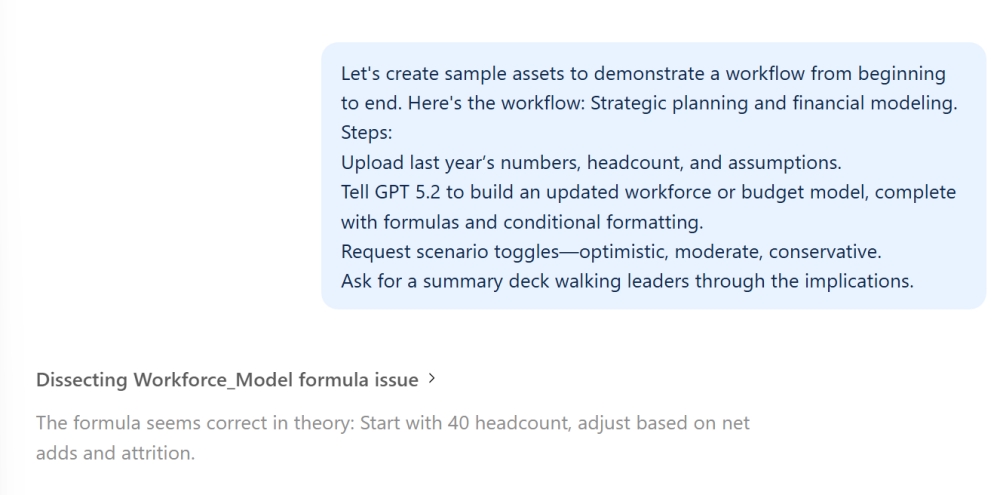
1. Strategic planning and financial modeling
Planning season is rarely anyone’s favorite. GPT-5.2 turns it into a simpler process.
- Upload your data. Start with last year’s numbers, headcount, and assumptions.
- Build your model. Tell GPT-5.2 to create an updated workforce or budget model, complete with formulas and conditional formatting.
- Add scenario toggles. Request optimistic, moderate, and conservative versions.
- Create the deck. Ask for a summary presentation walking leaders through the implications.
See our Sample Workflow below for a look at this capability in action.
2. Content systems and creative production
Earlier models sometimes sounded like they were trying too hard. GPT-5.2 writes with more restraint and creativity.
- Create the content system. Upload your voice rules, core messages, proof points, and a few “on-brand” examples. Ask GPT-5.2 to turn them into a reusable system: pillars, approved angles, do/don’t language, platform rules, and a short QA checklist.
- Generate hooks. Paste a brief (goal, audience, offer, platform, length). Ask for 15–25 hooks, then ask it to rank the top 5 by clarity, specificity, and brand fit.
- Build timed scripts. Pick 1–2 hooks. Ask for a script with timestamps, on-screen text, and shot notes that fits your exact duration.
- Adapt for each platform. Ask for versions tailored to each channel (TikTok/Reels, YouTube Shorts, LinkedIn, X, email), keeping the same core idea but changing structure and length to match norms.
- Produce A/B variants. Request controlled variants that change one element at a time (hook, CTA, opening line, caption). Output them labeled so you can track results.
- QA and finalize. Run the QA checklist, tighten language, and deliver a publish-ready package: script, captions, thumbnail text options, and any required disclaimers.
- Learn and update the system. After posting, paste performance metrics. Ask what to keep, what to cut, and how to update the hook patterns and templates for next week.
3. Competitor and market research
GPT-5.2 behaves like a research assistant who doesn’t get tired of clicking.
- Give it a target list. Share the competitor names, your product (or category), the markets to focus on, and what you want compared (pricing, packaging, positioning, feature set, audience, proof points, and claims).
- Set the comparison framework. Tell GPT-5.2 the exact fields you want captured and how to define them so the research stays consistent across every competitor.
- Build the comparison table. Ask for a table that summarizes price, positioning, differentiators, and gaps, with sources linked for every key claim.
- Synthesize the findings. Request an executive summary that calls out patterns, risks, opportunities, and 3–5 concrete recommendations tied to the table.
- Turn it into a deck. Ask for a slide outline (or full slide copy) that walks leaders through the landscape, what it means, and what you recommend doing next.
Its new vision capabilities let it review screenshots, product pages, and app dashboards, offering insights based on layout and UX cues.
Real-World Example: An Agentic Workflow
Let’s take a closer look at model 5.2’s agentic capabilities.
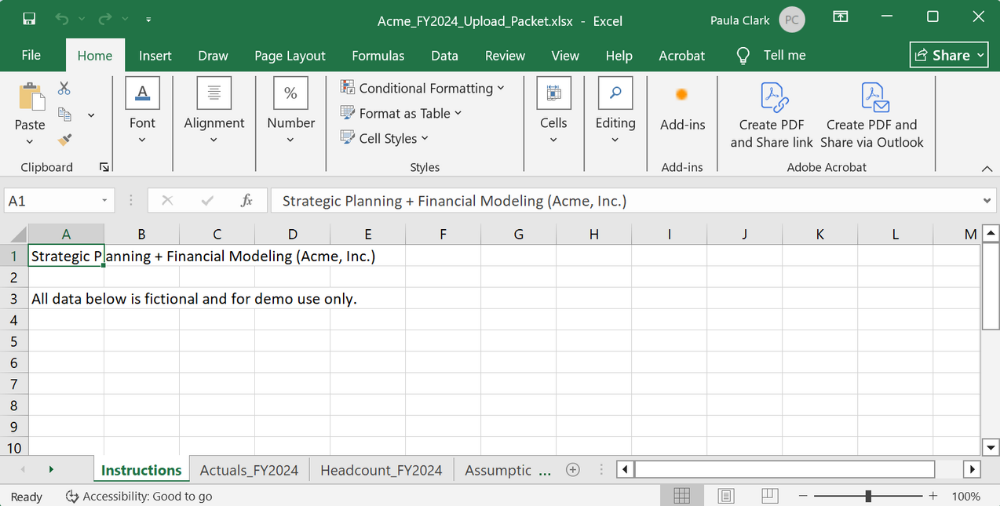
For this walkthrough, we asked the AI to create sample materials for a live demo of its agentic abilities. It did all of this with a single prompt:
For this task, our fictional marketer might upload:
- FY2024 monthly revenue and expense actuals
- End-of-year headcount and average salaries by department
- FY2025 planning assumptions across Optimistic, Moderate, and Conservative scenarios
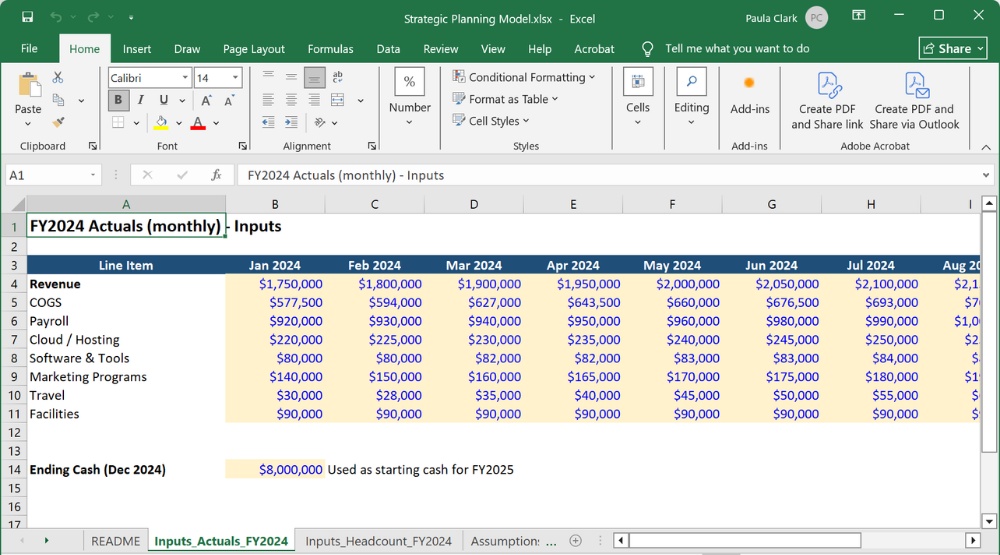
Prompt: Build a simple, leadership-ready workforce and budget scenario model for a fictional company using clearly labeled assumptions, formulas, and outputs.
Include three scenarios—Optimistic, Moderate, and Conservative—with a single scenario toggle that updates all calculations.
The model should show:
- Headcount by department and total payroll by scenario
- Revenue, expenses, and EBITDA by scenario
- Clear flags for margin or cash risk where relevant
Then create a short presentation that walks executives through:
- What changes across the three scenarios
- The workforce and budget implications of each
- The key tradeoffs and decision points for leadership
Output: A comprehensive Strategic Planning spreadsheet . . .
An interactive slide deck of scenario implications . . .
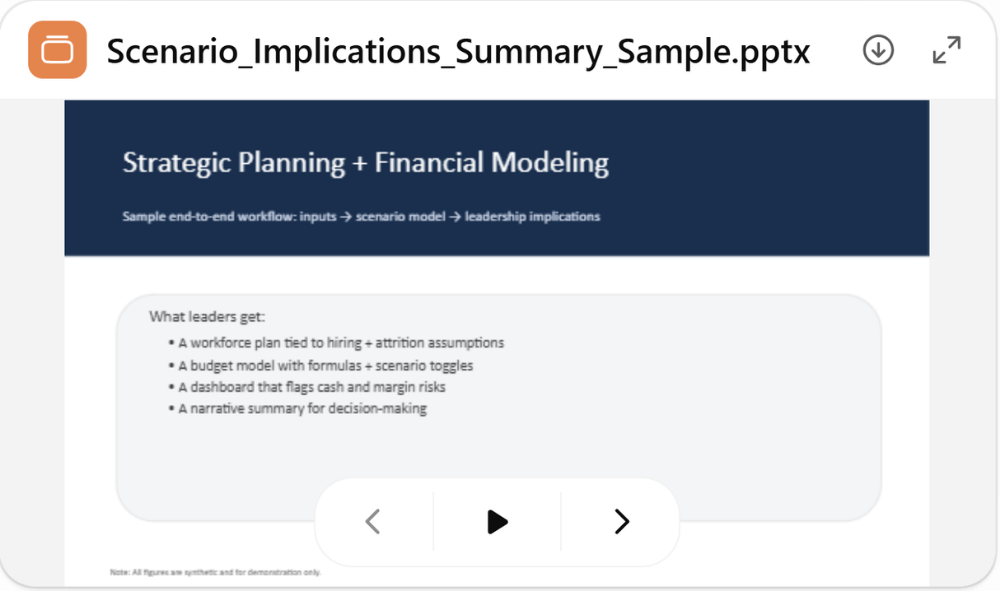
…and a full 10-slide PowerPoint executive presentation.
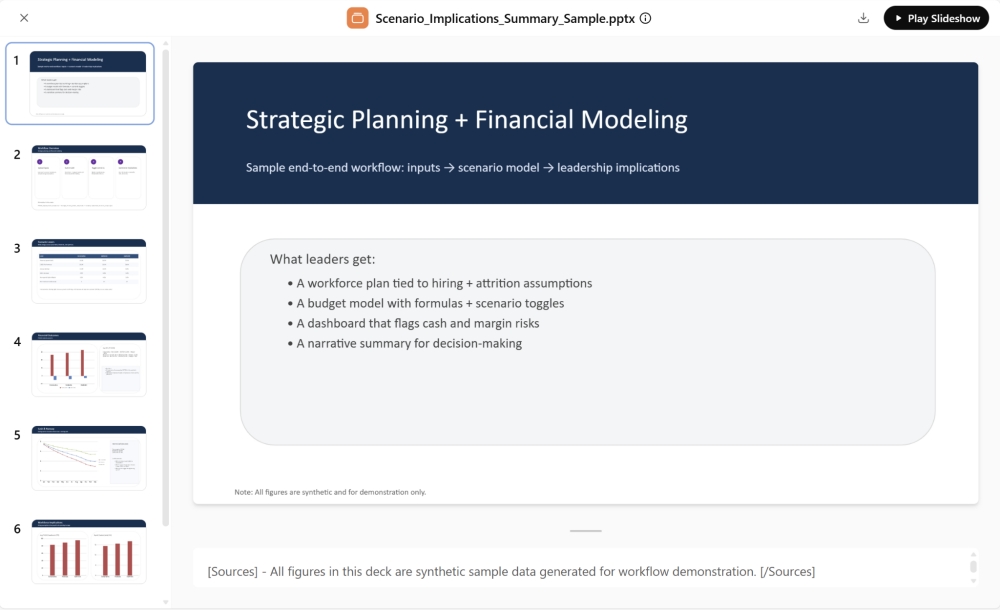
We then used the “Download” option to import the deck into PowerPoint for fine-tuning; it’s completely editable.
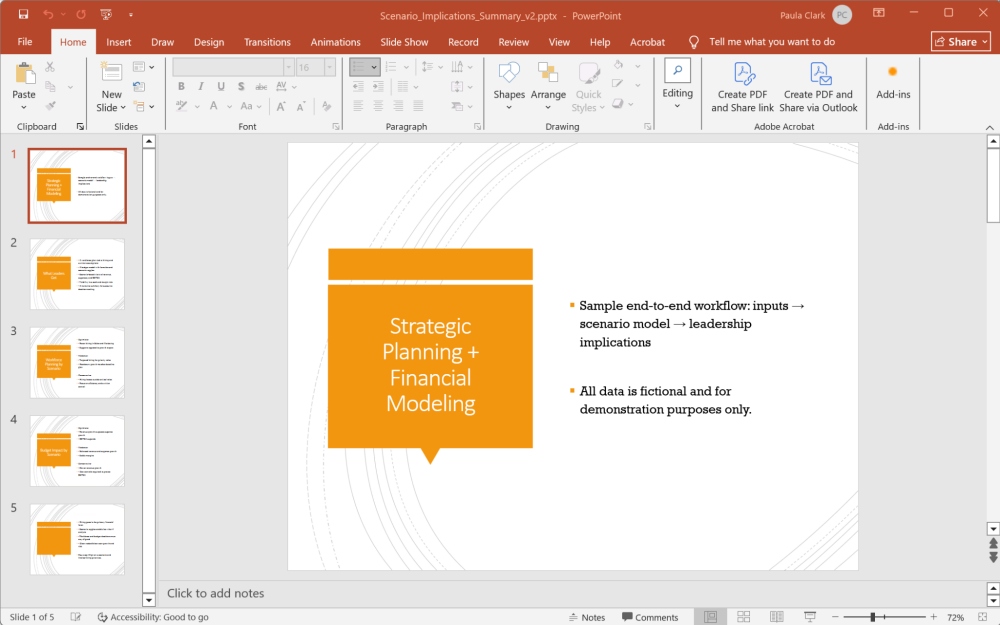
Impressive as these results are, expect flows like these to take time. While you can create a presentation in 4-5 minutes, a lengthy prompt for multiple assets will take longer. In our example, ChatGPT took around 28 minutes to complete the task we gave it (two multi-tab spreadsheets and a presentation).
Depending on the complexity of the tasks you assign, model 5.2 can take up to 40 minutes to deliver. You may want to run it in the background while you’re working on other things.
What We Didn’t Love
While ChatGPT’s new model is more powerful than any that’s come before it, it’s still not perfect. Here are the limitations we noticed.
- Slower heavy reasoning. Deep thinking is powerful, but it’s also slow, sometimes painfully so. Complex prompts can take minutes, not seconds, and workflows that trigger multiple reasoning steps may require real patience.
- Occasional overreach in agentic mode. Some users report that the model occasionally “decides” to structure a workflow in ways they didn’t intend. It’s trying to be helpful, but sometimes that helpfulness leads to unnecessary steps or assumptions.
- File generation hiccups. While file outputs are vastly improved, a minority of users note broken formulas, misaligned layouts, or decks that need cleanup. In other words, it behaves like a junior teammate: impressive, but you still need to review the work.
- Download links don’t always work. Links to download your spreadsheet or presentation are often not clickable. The model does help you with workarounds, however.
- Still behind Gemini for visual polish. GPT-5.2 is a strategist. It wins at professional looking spreadsheets and slide decks, but Gemini 3 Pro is still the leader when the job demands aesthetic precision, layout creativity, or design-forward copy.
From what we can tell just days after its release, these issues don’t overshadow the model, but they’re worth knowing as you build real workflows around it.
Tips to Get Better Results from GPT-5.2
- Name the deliverable you want. Specifying “a deck,” “a spreadsheet,” or “a script” upfront helps GPT-5.2 choose the right format and structure from the start.
- Match reasoning levels to the job. Use light thinking for quick ideation and heavy thinking for strategy or analysis. Mismatching wastes time or shortchanges the output.
- Share brand voice guidelines early. Upload your style guide or describe your tone in the first prompt. GPT-5.2 holds onto these details better than previous models, but it needs them upfront.
- Ask it to self-check outputs. A simple “review this for gaps or inconsistencies” catches errors you might miss on first read.
- Use memory to store brand elements. Save logos, color codes, and boilerplate language in memory to reduce repetition and keep outputs consistent across sessions.
Marketer Takeaways

- GPT-5.2 connects ideas, analysis, and execution into one smooth workflow.
- Agentic features free teams from repetitive tasks, creating space for creative and strategic work.
- Structured prompts turn GPT-5.2 into a dependable partner that delivers professional-grade assets on demand.
Media Shower’s AI marketing platform combines GPT-5.2 with an award-winning human creative team. Click here for a free trial.