The Better Marketing Blog
Better tips, tools, and tactics for the AI era.
Better tips, tools, and tactics for the AI era.

ChatGPT’s Agent Mode, we’ve entered a new era where artificial intelligence doesn’t just suggest what to do—it goes ahead and does it.
Agent Mode gives marketers the power to automate entire workflows, from research and analysis to outreach and reporting. It can browse the web, navigate dashboards, fill out forms, and interface directly with your favorite tools. Think of it as a hands-free marketing assistant that works around the clock—and doesn’t need coffee breaks.
That means you can now delegate tasks like:
This isn’t a glimpse into the future. It’s here now. And for marketing teams looking to scale smartly, streamline tasks, and focus on higher-value strategy, ChatGPT Agent mode offers both opportunity and challenge.
Let’s take a closer look at both.
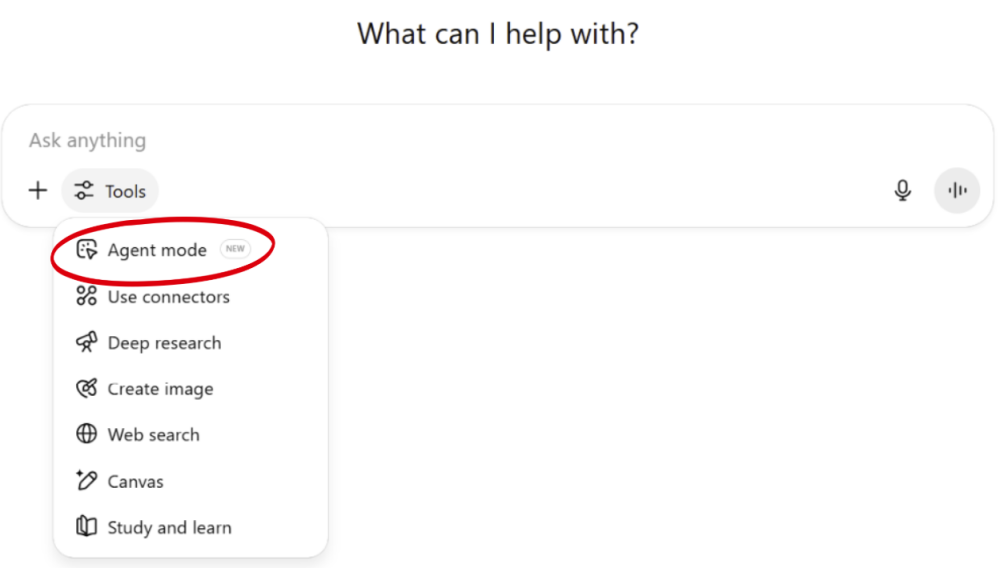
ChatGPT’s Agent Mode combines two capabilities:
Together, they allow the AI to execute real-world digital tasks—like a superpowered assistant that can:
But the real magic happens when you connect ChatGPT to your everyday apps using connectors.
Connectors are integrations that allow ChatGPT to interact with external tools, like Gmail, Google Sheets, Notion, HubSpot, Dropbox, and more. These connectors serve as bridges between ChatGPT and your tech stack.
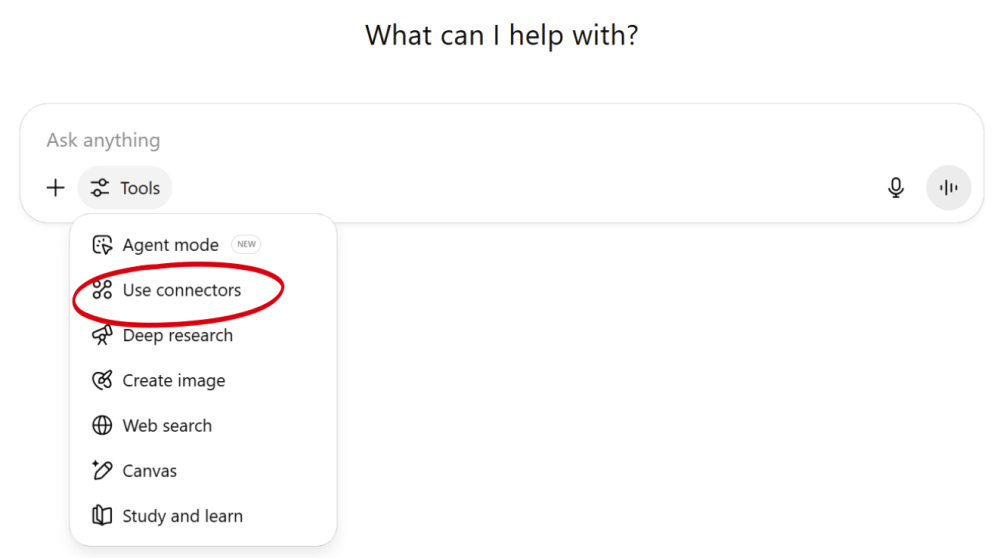
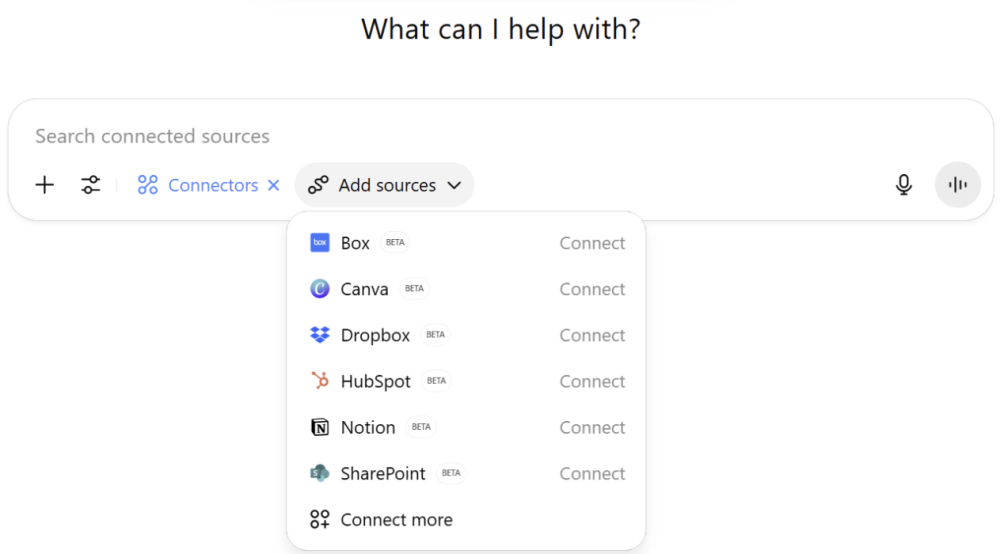
Once connected, the agent can:
In other words, connectors turn ChatGPT from a brilliant intern into a productive team member who knows where everything lives and how to use it.
With Agent mode and the right connectors, your AI assistant can complete end-to-end marketing tasks—no manual copy/pasting, no context-switching, no bottlenecks.
Once your connectors are in place, you can prompt ChatGPT to handle complete, multi-step workflows—like reviewing blog performance or generating reports—without switching between tools.
Here’s what it looks like in action:
Prompt: “Search Reddit to find 10 topics that digital marketers are talking about this week. Create a Google Doc and list them by category.”
The Agent opens a mini desktop on your screen. It then pulls in data, runs the analysis, and builds a formatted document—without stopping to ask what to do next. You’ll see each step logged in real time, including which tools it’s using and how it’s interpreting your instructions.
If the agent runs into an obstacle (like a dead link or a paywall), it will try to resolve the problem on its own.
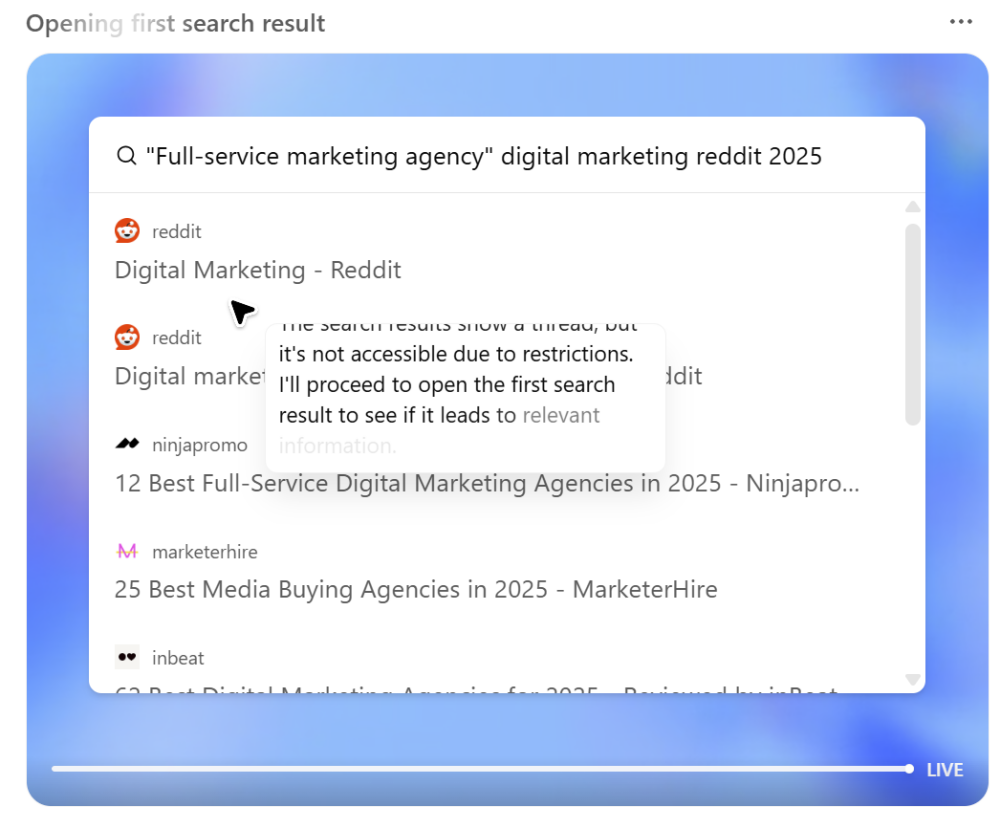
If you are asking the AI to access personal accounts like your Google Drive or Slack account for the first time, it will pause to ask you to take control and log in to your account. Once you’ve entered your credentials, you hand control back to the agent to continue its task.
The agent stores your login information securely, so you’ll only have to sign into your accounts once.
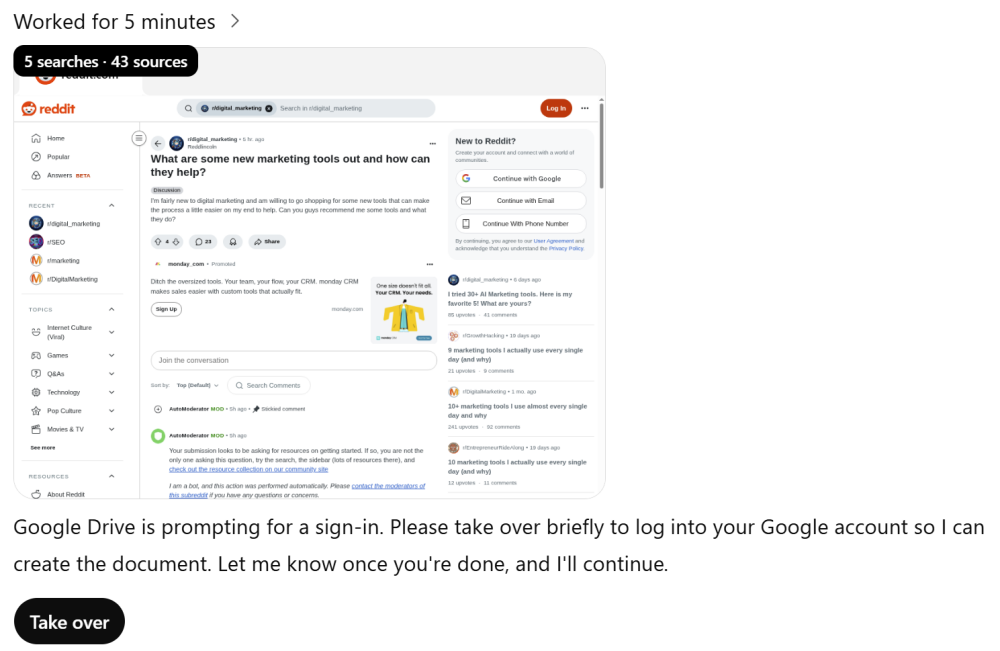
The Agent pauses to ask you to take over and sign into your Google account.
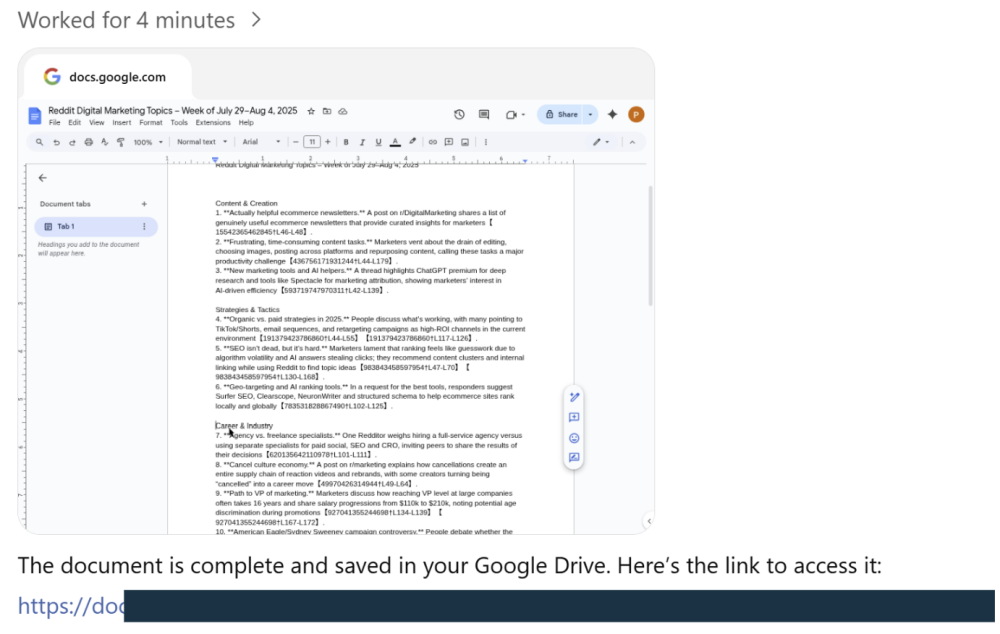
Task completed successfully
Agent Mode was designed specifically to handle the parts of your job that are repetitive, frustrating, and time-consuming.
Here’s how it helps marketers save time:
DataBright content director Maria Chen is a good example. She has found that AI agents give her more time to spend on higher-ROI tasks.
For example, every Monday, she reviews blog performance from the week before. Her team logs post metadata, titles, and engagement metrics in a shared Google Sheet. She has found a fast way to scan for SEO gaps and writing issues, then deliver feedback without digging through each doc manually.
Instead of doing it by hand, Maria launches ChatGPT’s Agent mode. (She has already activated the Google Sheets, Google Docs, and Slack connectors.)
Prompt: “Open our content tracker Google Sheet. For each blog post from [date] to [date]:
– Check if the title is under 60 characters
– Flag passive voice and any missing H2s
– Summarize views, time on page, and bounce rate from the performance tab
– Suggest one improvement
Then compile everything into a formatted Google Doc and message me in Slack with the link.”
Here’s what Agent Mode does (note that Maria has activated the Google Sheets, Google Docs, and Slack connectors):
She reviews the doc in under 10 minutes and shares it with her writers.
Every Monday, Maria just fills in the date in the prompt—no need to rewrite or reconfigure.
“How are we going to be able to keep doing what we do when the agents take over?” – Travis Kalanik, former CEO of Uber
Agent mode is an exciting step forward for busy marketers like Maria. But the transformation isn’t just happening on marketing teams. Your customers will also adopt AI agents to help them research and decide.
As exciting as the promise of agentic AI is, it’s going to change everything for marketers, who will have to find new ways to connect with potential customers . . . and fast.
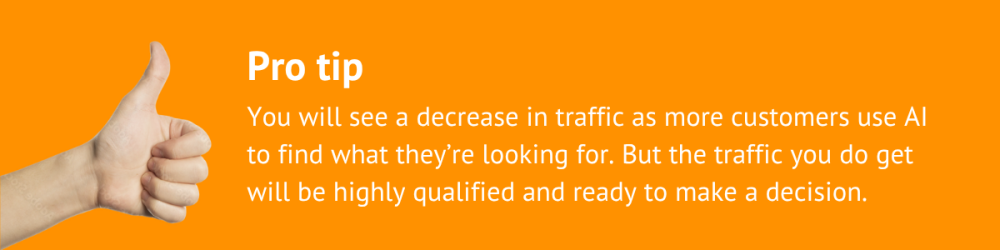
In a very short time, your customers will no longer find you with a Google search. They will be sending electronic agents to find their answers, do their shopping, and so much more.
In many cases, your existing customers will never visit a web site at all.
They’re already using ChatGPT and Google’s AI mode to get answers to questions like these:
By the time they hit your website, they’ve already narrowed their options.
Here’s what marketers are going to have to take into consideration as we address the new AI reality.
If, like Maria, you’re ready to take the first step toward the inevitable transition to AI marketing, here’s how to activate Agent Mode and integrate it into your marketing stack quickly.
Step 1: Make sure you’re on a paid plan. Agent Mode currently requires ChatGPT Plus, Team, Pro, or Enterprise.
Step 2: Activate Agent mode. In ChatGPT, navigate to “Tools” and select “Agent Mode.”
Step 3: (Optional) Add connectors. Link ChatGPT to the platforms you use. Authenticate once, and the agent takes care of the rest.
Step 4: Clearly submit your prompt. Provide specific instructions and any necessary files. Confirm connector settings for smooth execution.
Step 5: Let the agent handle execution. The agent sets up a virtual machine to securely complete tasks, so you don’t need to monitor constantly.
Step 6: Check in if needed. View the Visual Log to confirm progress or step in when the AI needs to turn it over to you for human input.
Step 7: Receive your results. Collect your deliverables—formatted documents, summaries, and links ready to use immediately.

As powerful as ChatGPT’s Agent Mode is, it’s not magic. There are real limitations marketers need to understand before turning it loose on their workflows.
Agents aren’t autonomous thinkers. They won’t spontaneously set up a campaign or decide what your goals should be. You still have to define the task, set the boundaries, and provide the context. It’s a super-assistant—not a super-brain.
Out of the box, Agent Mode doesn’t automatically connect to your CRM, analytics, or proprietary systems. If you want it to fetch live campaign data or customer info, you’ll need to integrate it with APIs or other data sources. That takes setup.
If the agent gives you a weak response, it’s not being lazy—it just doesn’t know what you’re aiming for. Like any junior teammate, it performs best with specific instructions and helpful feedback.
Agent Mode can sometimes “hallucinate”—making up links, facts, or sources. For complex workflows or high-stakes outputs, human review is still essential. Use it to draft, not to decide.
AI agents don’t come with automatic guardrails for data privacy or legal compliance. If you’re in a regulated industry (like healthcare or finance), you’ll need to be extra careful with what you share and how you use it.
Use Agent Mode primarily for tasks that are repetitive, structured, and low-risk.
Media Shower’s marketing platform is built for AI so marketers can move faster. Click here for a free trial.
Start your free Media Shower trial and get personalized insights on your SEO, competitors, AI visibility, and what to do next.